Zavala 4.1
Another Zavala release is here. This time there is a lot going on with Markdown capabilities.
Markdown Import
You can now directly import Markdown documents into Zavala. Markdown documents are very unstructured and Zavala is a very structured outliner, so this was something of a challenge. In the end it worked out rather well. Markdown headings become Zavala rows. Markdown paragraphs became Zavala notes paragraphs.
I’ve done a fair amount of testing this using open source project documents and Zavala has been able to parse them all. Sometimes there is page layout issues, but for the most part it just works.
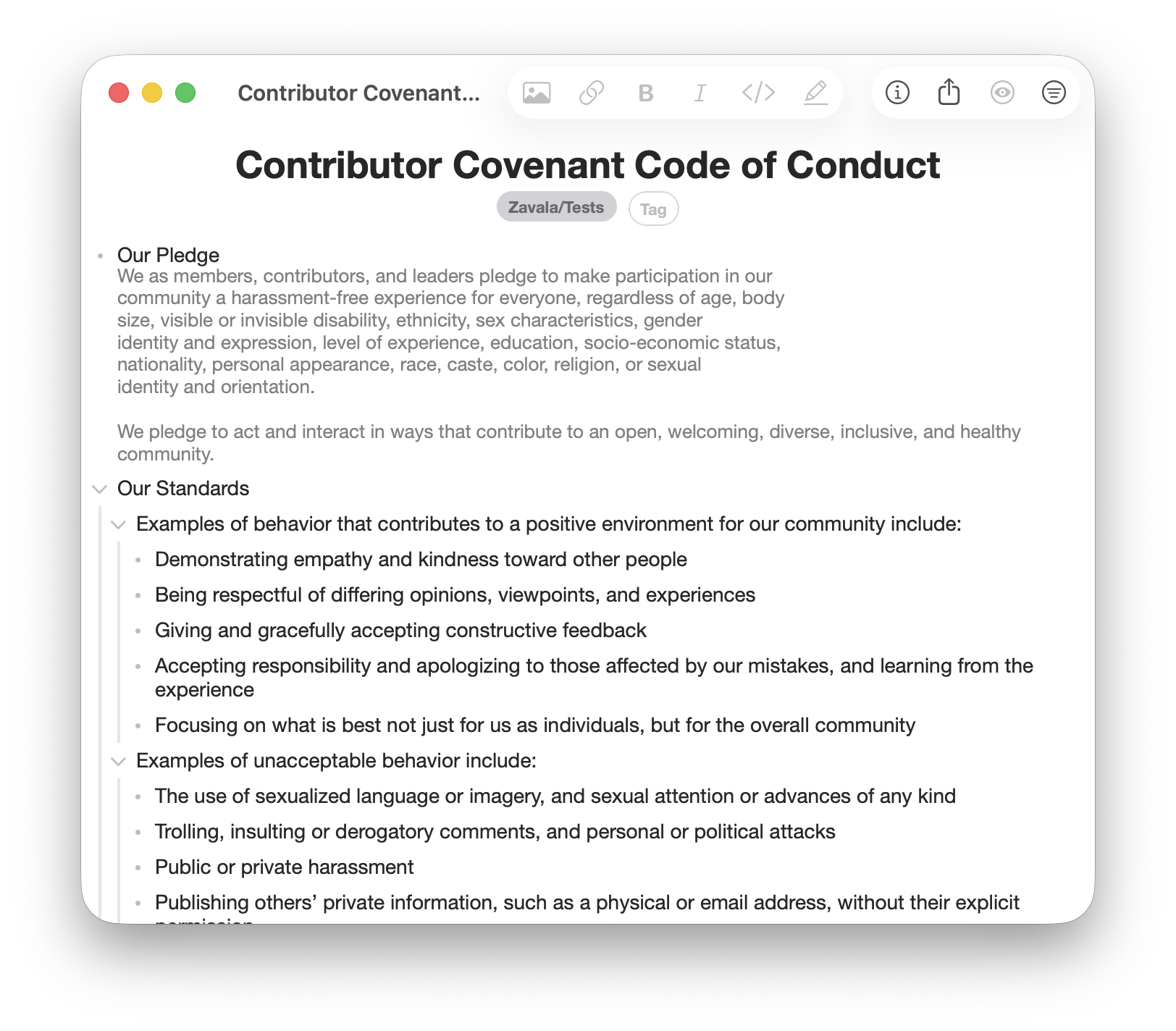
Here I’ve imported a standard CODE_OF_CONDUCT.md file. It can now be edited
and then exported again using Export Markdown Doc and it will be structurally
the same when it was imported (plus edits).
New Markdown Formatting Options
We’ve got a couple new formatting options for text. One is Code and the other is Highlight. More formatting options has been a popular request for Zavala. These are probably the final two that will get added, mostly because they don’t conflict with how Zavala works.
Zavala tries to stay as compatible with Markdown as possible. This means that underlining is not going to happen. Underlining in Markdown is reserved for links and there is no widely agreed upon way to extend Markdown to include underlines anyway.
The other main formatting choice left is strikethrough. Strikethrough is a softer no than underlining, but is still a no. It conflicts with how Zavala shows that a row has been completed. I really like using the strikethrough to show completed rows and have no plans on using checkboxes for that.
Shortcuts Menu
Another new feature coming in Zavala 4.1 is more of a power user feature. That’s why you have to enable it in the Settings to make it work. It is a menu that you can use to launch frequently used Shortcuts.
Zavala’s Shortcuts support is extensive and quite powerful. I use it to publish Zavala’s help web pages and my blog posts (including this one). One person uses a Shortcut create a daily template to track their migraine headaches. You can use Shortcuts for lots of things.
I don’t like having to launch the Shortcuts app and dig around to find the Shortcut I want to run. Now you can just add the name of the Shortcut you want to run to Zavala’s Shortcut Menu. When you activate the Shortcut from Zavala, Zavala will launch the Shortcuts application, run the Shortcut, and then return back to Zavala when you are done. Much nicer.
Big Release
In addition to those 3 changes we now export images automatically in a folder next to your exported Markdown or OPML files if you are exporting an outline with images. Lots of bug fixes went into this release too.
Now… on to working on Zavala 4.2.