Zavala & AI
Notemap
Notemap is a newer mind mapping application that I was recently made aware of. It looks pretty cool. Mind mapping tools always struck me as very close to an outliner in functionality. They both use hierarchical relationships (and links) to relate information with each other. Outliners are more text based and mind mappers are more graphical.
What really fascinated me was how hard the maker of Notemap had leaned into integrating AI into the application. You can create new mind maps or prompt it to add more nodes. Kind of cool, especially when you realize you can use the AI to give you a starting point for a mind map. You can then prune ideas you don’t like and add additional ones to it.
AI as a Partner
I think a lot of ink has been spilled about AI inaccuracies and hallucinations. I would never recommend using today’s AI’s to generate work wholesale in a way that isn’t thoroughly reviewed.
I recently began using Claude to code and it was a revelation. I work alone and don’t have a team of developers to bounce ideas off of. Claude became that for me. It helps me think about a problem from an angle I might not have before. I think AI’s make good sounding boards.
I do not trust them anymore than I trust most people. I always review the code written by Claude and either approve it or rewrite it (or make Claude rewrite it). I think this works pretty well and I can see how using an AI for writing outlines would be useful too.
Zavala and AI
I’m very hesitant to add trendy or shiny features to Zavala just to have them. The user interface can get cluttered and sometimes features don’t age well. We are currently using AI’s using a chat interface. That may not be the future of AI. This hasn’t been decided yet. Besides, I don’t want to over complicate Zavala by making users do things like decide which AI is best or have to enter API keys to access them.
For now, I’m going to sit back and let this AI revolution play out some more before adjusting Zavala to the new state of things. But I do see how AI could be useful today to some users. For example, to get them started on an outline if they are having trouble getting going.
Shortcuts to the Rescue
Zavala has great Shortcuts support and has for some time. With macOS 26 and iOS 26, Apple added support for utilizing AI models in Shortcuts. You can use these two things together to create outlines using AI. I wrote an example Shortcut, Use ChatGPT to Create an Outline, that does what it says. It even works in older versions of Zavala, you just have to have the most recent Apple operating systems.
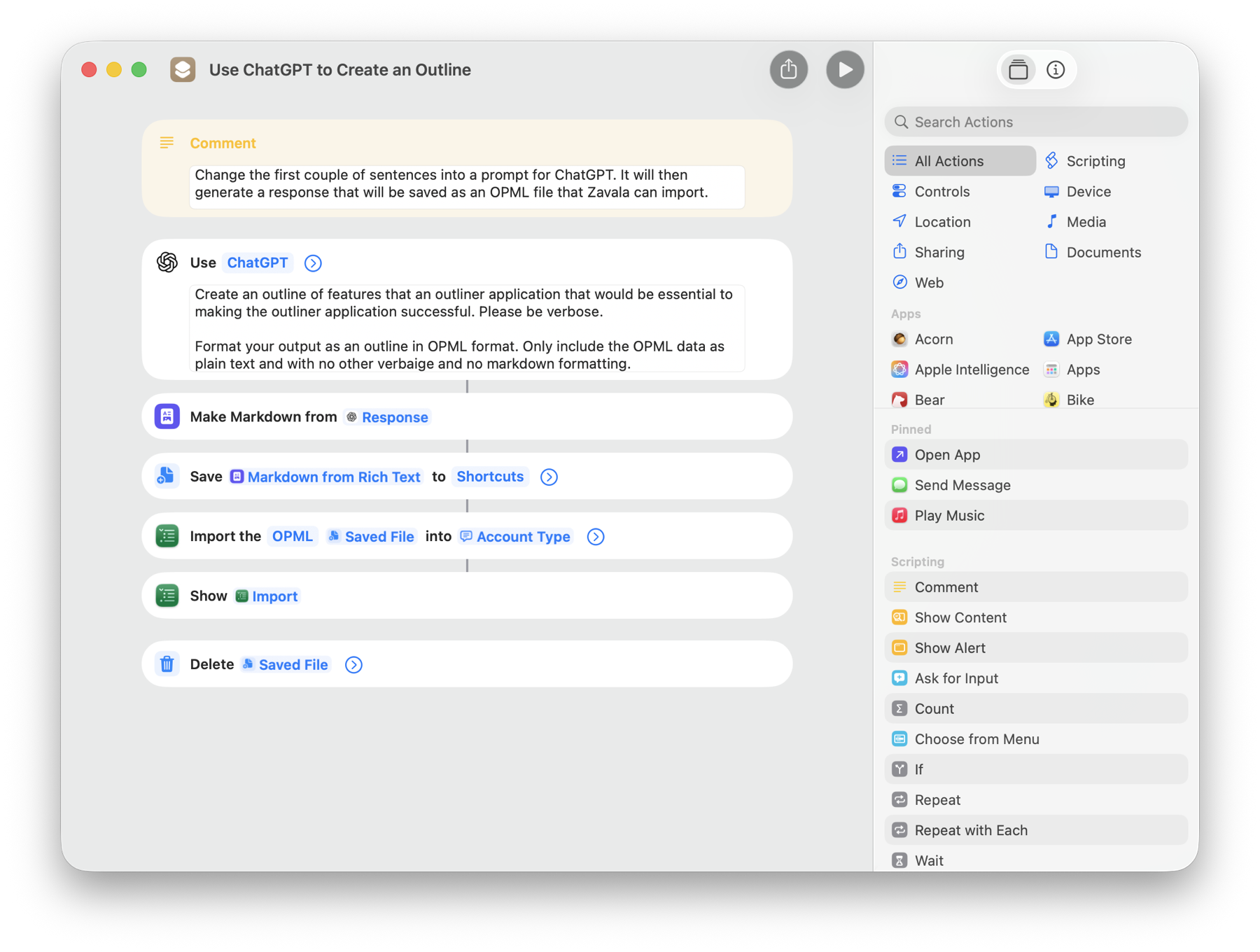 
Just modify the first sentence in the ChatGPT box to a prompt you come up with and run it! You’ll get a ChatGPT generated outline in Zavala, ready to edit.

Just modify the first sentence in the ChatGPT box to a prompt you come up with and run it! You’ll get a ChatGPT generated outline in Zavala, ready to edit.